CalculatorWiser / Forgotten technology
Legacy Repair Workshop
Understand the fault. Preserve the evidence. Restore with a plan.
Progress can be saved in this browser when JavaScript and local storage are available.
Legacy CRT Television & Monitor Diagnosis / Lesson 3 of 6
Sync, signal level and connector compatibility
Understand the system
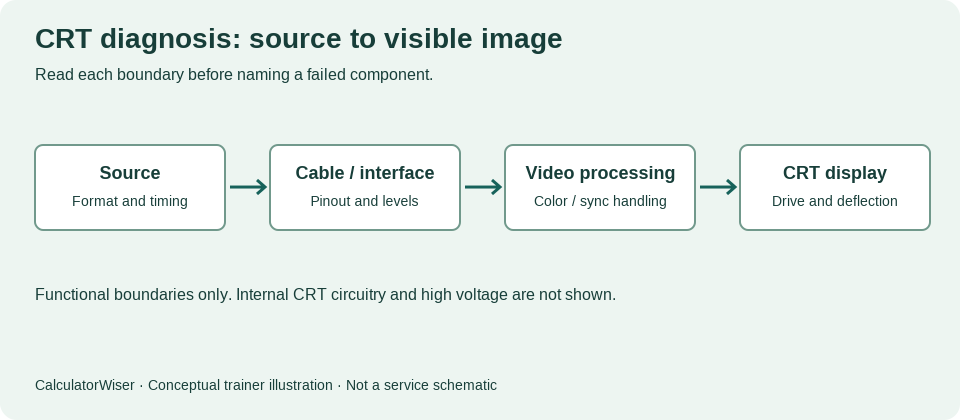
Synchronization tells a raster display when to begin lines and frames. A cable that fits may still carry the wrong signal level, polarity, scan rate or encoding. Composite video, RGB with separate sync and a modern computer output are not interchangeable merely because adapters exist. A rolling or broken image may be a compatibility problem, a cable defect or a monitor fault.
Diagnostic method
Make a source-to-display compatibility table using their manuals. Record connector, pinout, signal format, horizontal/vertical timing and sync requirements. Treat ground references as electrical facts to verify rather than color conventions. External cables can be inspected disconnected. Do not connect a known-working but incompatible output to an unknown arcade monitor, and do not seek stability by turning undocumented internal controls.
Case study: read the evidence
A classic game board was replaced with a computer-based system. A passive cable now connects it to the original raster monitor, and the picture is scrambled. The original game board previously displayed normally.
Reveal the diagnostic reasoning
The conversion is the strongest change to investigate. Determine whether a proper scan conversion or correctly configured output is required. The historical success of the original source does not establish compatibility with the new one. Avoid diagnosing the monitor from this test alone.
Your practical or paper exercise
Write a compatibility matrix with rows for original board, replacement source, cable and monitor. Mark all missing timing and level specifications as unknown.
Notes stay in this browser. They are not submitted to CalculatorWiser.
Compare with the worked answer
The matrix should expose unknowns instead of inventing typical values. A known connector pinout does not supply the source's timing specification.
Repair evidence worksheet
For this case, record: equipment identity; exact symptom; expected behavior and source of that expectation; competing causes; evidence for and against each; next safe step; qualified-service needs; parts justification; acceptance criteria and remaining unknowns.
References and original manuals
Lessons and fictional cases are original. These links provide further reading, not permission to copy or resell manuals. A manual for another chassis or controller is not a substitute for the installed model’s service documents. Historic procedures may not meet present safety practice. No external document loads automatically.
Guardar en Pinterest