Arcade Repair Masterclass
Classic full-size cabinets and game boards, arcade CRT monitors, and modern LCD/computer-based systems. Learn to identify the installed hardware, explain faults and prepare a documented repair plan.
Arcade CRT Monitor Diagnosis
Display identification, signal-path reasoning, model dossiers, qualified repair planning and restoration verification.
System map and practical route
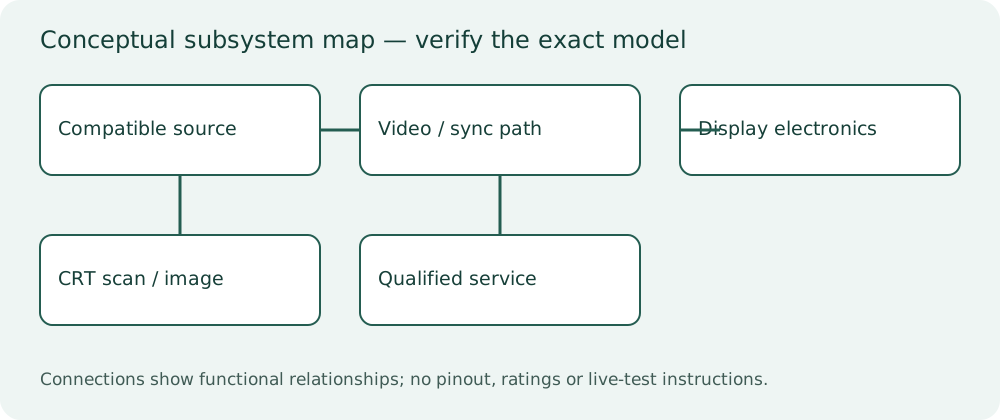
Original conceptual block diagram. Connector assignments, voltage limits and service procedures must come from the exact model manual.
Begin with the two free previews. Work through the mini courses, keep a repair-planning portfolio, then submit the capstone worksheet for qualified review. Quizzes record written learning only.
Monitor Identity & Safe Diagnostic Planning
Four focused lessons with original diagnostic cases, Q&A, checks and printable planning worksheets.
4 lessons • included in this full track and the complete program
Open mini course →View price & enrollPicture Symptoms & Fault Isolation
Four focused lessons with original diagnostic cases, Q&A, checks and printable planning worksheets.
4 lessons • included in this full track and the complete program
Open mini course →View price & enrollComponents, Alignment & Conversion
Four focused lessons with original diagnostic cases, Q&A, checks and printable planning worksheets.
4 lessons • included in this full track and the complete program
Open mini course →View price & enrollService Dossiers & Display Capstone
Four focused lessons with original diagnostic cases, Q&A, checks and printable planning worksheets.
4 lessons • included in this full track and the complete program
Open mini course →View price & enrollFind an arcade lesson, symptom or question
Search titles and learner questions. Lesson access follows your existing mini-course, full-track or complete-program purchase.
- Free preview: Identify an arcade monitor by chassis and revisionMonitor Identity & Safe Diagnostic Planning • Free sample
- CRT hazards, isolation and protective earthMonitor Identity & Safe Diagnostic Planning • Included lesson
- Raster, RGB and synchronization as separate functionsMonitor Identity & Safe Diagnostic Planning • Included lesson
- Free preview: Plays blind: a free diagnostic planning caseMonitor Identity & Safe Diagnostic Planning • Free sample
- Collapse, shutdown and repeated fuse failurePicture Symptoms & Fault Isolation • Included lesson
- Missing color, tint and signal-path isolationPicture Symptoms & Fault Isolation • Included lesson
- Geometry, linearity and sync faultsPicture Symptoms & Fault Isolation • Included lesson
- Burn-in, purity and convergencePicture Symptoms & Fault Isolation • Included lesson
- Capacitors, solder joints and evidence-led replacementComponents, Alignment & Conversion • Included lesson
- Flyback, output stage and compatible partsComponents, Alignment & Conversion • Included lesson
- Brightness, focus and owner expectationsComponents, Alignment & Conversion • Included lesson
- CRT-to-LCD conversion without losing the gameComponents, Alignment & Conversion • Included lesson
- Monitor model dossiers: Wells-Gardner and alternativesService Dossiers & Display Capstone • Included lesson
- Monitor diagnosis worksheet and escalationService Dossiers & Display Capstone • Included lesson
- Display repair verification and burn-in preventionService Dossiers & Display Capstone • Included lesson
- Monitor capstone: source or display?Service Dossiers & Display Capstone • Included lesson
No matching lessons. Try a shorter symptom or circuit name.
Monitor diagnosis worksheet and escalation
Read the free sample lessons first. Enroll in this mini course, its full track or the complete program to access this lesson.
Send an assembly-specific dossier and symptom report instead of a guessed part number.
Save to Pinterest